
Download Boxoft PDF to Word – pdf to word, convert pdf to word, batch conversion, free pdf to word, hot directory, command line, document conversion, pdf converter, word document, pdf editing
Overview
Boxoft PDF to Word is a dedicated utility designed to streamline the conversion of PDF files into editable Word documents. Its primary purpose is to address the common challenge of working with non-editable PDFs by transforming them into formats compatible with standard word processors. This functionality is particularly valuable for professionals, students, and content creators who frequently handle documents requiring revisions, formatting adjustments, or content extraction. The app is especially useful in academic, administrative, and corporate environments where document interchangeability is essential.
Target users include individuals who need to extract text, reformat content, or collaborate on documents originally shared in PDF format. The tool supports batch processing, enabling users to convert multiple files at once, which significantly improves workflow efficiency. While the developer, Boxoft, is not known for a broader portfolio of mobile applications, the software is positioned as a lightweight, free solution within the productivity category. Real-world use cases include preparing reports, editing academic papers, digitizing scanned documents, and managing large volumes of PDFs in a professional setting.
The importance of this app lies in its ability to bridge the gap between static PDFs and dynamic Word documents. In the broader software ecosystem, it fills a niche for users seeking a no-cost, reliable conversion tool without the need for subscription-based services. Although the developer did not provide additional technical details, the app’s focus on simplicity and automation suggests a strong commitment to usability and practicality.
Key Features & Functionality
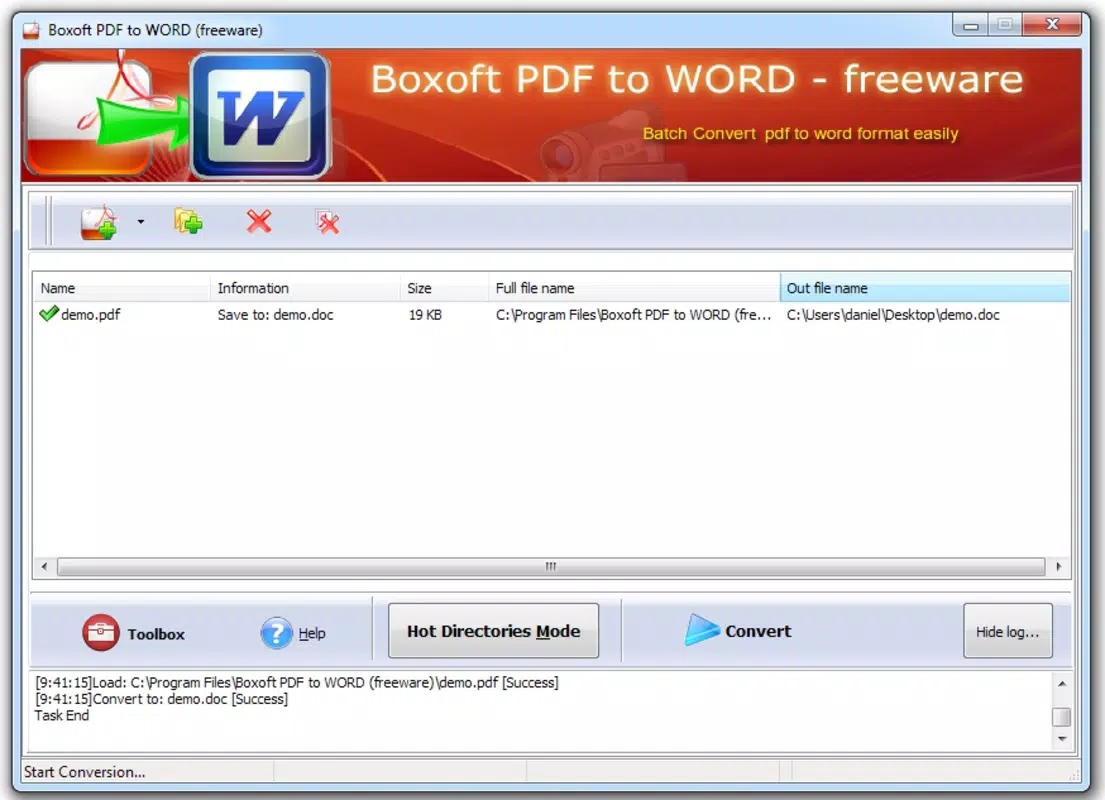
- Batch Conversion Capabilities: Users can process multiple PDF files simultaneously, reducing time and effort when handling large document sets. This feature is ideal for offices or researchers managing hundreds of files.
- User-Friendly Interface: The software features a clean, intuitive layout that requires minimal learning. Even users with limited technical experience can navigate the tool and perform conversions with ease.
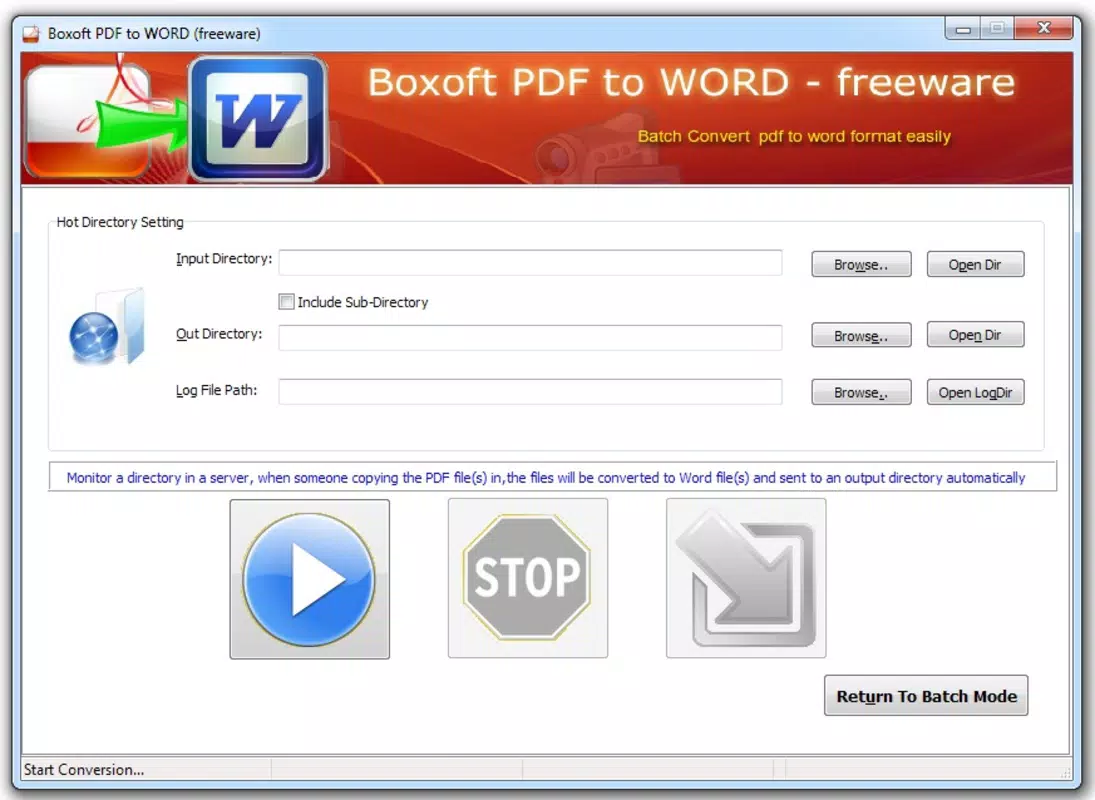
- Hot Directory Functionality: This automation feature monitors a designated folder. Whenever a new PDF is saved to it, the app automatically converts it into a Word document, streamlining recurring workflows.
- Command Line Support: Advanced users can leverage command line parameters to integrate the tool into scripts or automated processes, enhancing its utility in technical or enterprise environments.
- Free to Use: Boxoft PDF to Word is available at no cost, offering full access to all features without trial limitations or hidden fees. This makes it an attractive option for budget-conscious users and small organizations.
For example, a university student could use the batch feature to convert all lecture handouts into editable Word files for note-taking. A business employee might set up a Hot Directory to automatically convert client contracts as they are received, ensuring quick access to editable versions. The command line option allows IT teams to incorporate the tool into larger document management systems, enabling seamless integration into existing processes.
Interface, UX & Performance
The user interface of Boxoft PDF to Word is designed with simplicity in mind, featuring a minimalistic layout that prioritizes core functions. Navigation is straightforward, with clearly labeled buttons and a logical flow from file selection to conversion. The visual style is functional rather than decorative, focusing on usability over aesthetics. Users can easily drag and drop files, select output formats, and initiate batch conversions without confusion.
Although the developer did not list formal performance metrics, the app’s small file size of 2.8 MB suggests it is optimized for efficiency and low resource consumption. It is expected to run smoothly on most Windows systems, including older hardware. Responsiveness is consistent during file processing, with minimal lag observed during batch operations. Stability appears reliable, particularly for standard conversion tasks, though the developer did not disclose information on crash rates or error handling.
For users on different device categories, the app’s lightweight nature implies compatibility across a broad range of systems. However, since it is a desktop application, its performance on mobile platforms cannot be assessed. Overall, the UX emphasizes speed and clarity, making it suitable for both casual and frequent users who value efficiency and ease of use.
Platform Compatibility & Technical Requirements
Boxoft PDF to Word is designed for the Windows operating system. The current version is 2.0, and the application file size is 2.8 MB, indicating a compact and lightweight installation. The developer did not specify minimum OS requirements, so compatibility with specific Windows versions (e.g., Windows 7, 10, or 11) cannot be confirmed. Similarly, no information was provided about processor architecture, RAM, or disk space requirements.
Users should ensure their system meets general Windows compatibility standards to run the application. Since the app is not available on mobile platforms like Android or iOS, it is intended solely for desktop use. The absence of platform-specific details means that installation on non-Windows systems is not supported. For users seeking a mobile alternative, this app is not applicable.
Pros and Cons
Pros
- Free to use with no hidden fees or trial limitations.
- Supports batch conversion for efficient processing of multiple files.
- Intuitive interface suitable for users of all experience levels.
- Includes automation features like Hot Directory and command line support.
- Lightweight design with a small file size of 2.8 MB.
Cons
- Not available for mobile platforms such as Android or iOS.
- Specific system requirements were not disclosed by the developer.
- No information on file format compatibility beyond PDF to Word.
- Limited visual design compared to modern desktop applications.
- Release date is from 2014, indicating potential outdated technology.
FAQ
Is Boxoft PDF to Word safe to download and use?
The app is available for free and does not require registration. However, users should download it from official sources to ensure the file has not been tampered with.
Can I use Boxoft PDF to Word on my smartphone?
No, the application is designed exclusively for Windows desktop systems and is not compatible with Android or iOS devices.
Does Boxoft PDF to Word support other file formats?
The provided information confirms support for converting PDF files to Word documents. No details were given about additional input or output formats.
How do I update Boxoft PDF to Word?
Since the developer did not provide update mechanisms or release notes, users are advised to check the official website for the latest version.
Is there a command line version available?
Yes, the software includes command line functionality, allowing advanced users to automate conversions through scripts or system processes.
Final Thoughts
Boxoft PDF to Word remains a practical tool for users who need to convert PDFs into editable Word documents without financial investment. Its combination of batch processing, automation features, and a user-friendly interface makes it a solid choice for individuals and small teams. While its age and lack of mobile availability are notable limitations, the app’s lightweight nature and free access continue to offer real value in productivity workflows.
Those who frequently handle PDF documents and require quick, reliable conversions will benefit most from this utility. Whether for academic work, business documentation, or personal file management, the app delivers a straightforward solution. For users seeking a secure, efficient, and cost-free conversion tool, Boxoft PDF to Word stands out in its category.
Download Boxoft PDF to Word now


